

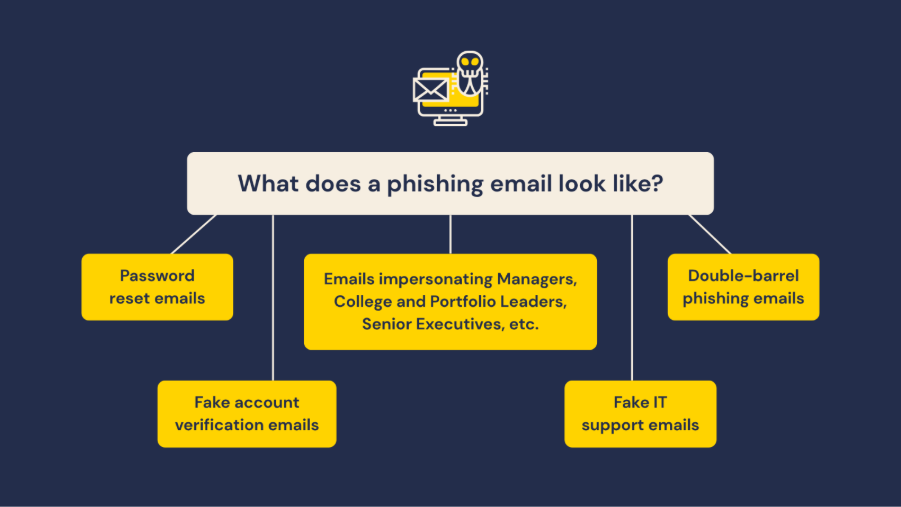
Something smell phishy? Distinguishing a scam from legitimate emails is becoming more difficult, as cyber criminals employ more sophisticated tactics to trick you into revealing sensitive information.
Ensure you stay cyber vigilant by knowing how to spot the signs of a phishing attempt, such as fake account verification or password reset requests, fake IT support emails, requests for urgent payment or access to confidential documents.
Help keep your personal data safe by following these steps:
- Look out for red flags, including unusual payment requests or urgent requests for sensitive information.
- Check the sender’s email address carefully.
- Place your mouse over a link to view actual destination. If the link doesn’t match the sender or looks unfamiliar, don’t click on it.
- Verify unexpected requests from organisations by contacting them using trusted communication channels. For example, use the email or phone number listed on their official website.
- Never share passwords or multi-factor authentication (MFA) codes.
- If you think an email looks suspicious, report it using Microsoft Outlook.
To learn more about phishing and other cyber security threats, visit the Flinders website: https://staff.flinders.edu.au/workplace-support/digital-services/security/security-threats.