

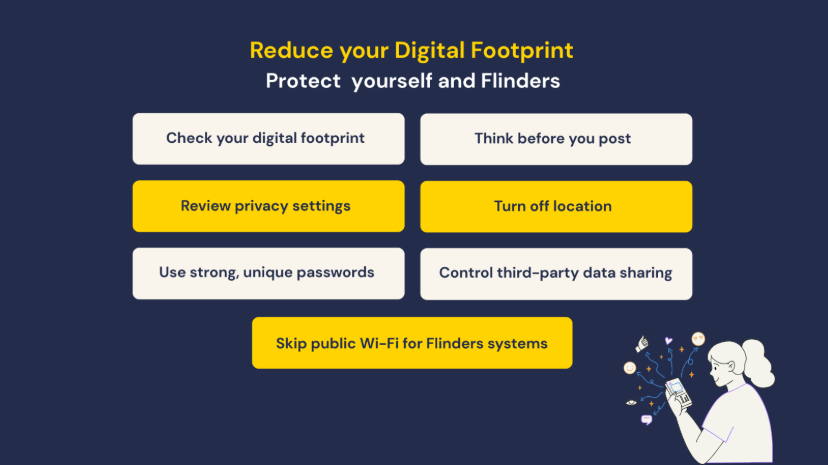
A digital footprint is data that is left behind when we have been online as we navigate the internet. This data encompasses all our online activities, including social media interactions, browsing history, online purchases, email communications, and more.
Just as our physical footprints leave an impression of where we’ve been, our digital footprints leave a trace of our virtual presence. This can include personal information, interests, patterns, and preferences that create a detailed picture of who we are in the digital world. Your online activity can often be seen beyond your intended audience.
Cyber Security – what can you do?
As a staff member, your digital footprint may expose both personal and university information to cyber threats. Cyber criminals can easily manipulate what is shared online and used for wrong purposes like phishing attempts, social engineering, and targeted attacks.
Security risks to be aware of:
- Cyber criminals gather publicly available information to craft targeted attacks
- Oversharing can unintentionally expose university details
- Your online presence may impact our reputation and security.
Best practices:
1. Check your digital footprint
- Search your name online periodically
- Remove or update any information that could expose your personal, confidential, or sensitive details, or that may negatively impact your reputation
2. Think before you post
- Avoid sharing sensitive personal and university details (address, phone number, internal processes, sensitive projects, etc.)
- Don’t post photos that reveal sensitive information (e.g. computer screens, IDs, documents, restricted areas, or personally identifiable information)
3. Review privacy settings
- Set your personal social media profiles to private
- Limit who can view your posts and personal details
4. Avoid geo tagging and turn off location settings as much as possible
5. Use strong passwords and avoid using the same passwords across multiple accounts
6. Control data sharing with third parties
- Avoid using your work email for non-work services
- Be cautious when signing up for external platforms
7. Do not use public Wi-Fi to access Flinders’ systems
8. When using digital platforms, ensure your actions comply with Flinders policies
Cyber criminals may use your online information to impersonate colleagues. Always verify unusual requests through official channels.
If you notice anything suspicious related to Flinders University systems, information, or accounts, please contact the Information & Digital Services (IDS) Service Desk by calling (08) 8201 2345 or emailing ictsecurity@flinders.edu.au.