


Image search ‘pomodoro timer’ and you’ll get lots of pictures of tomatoes. But there are prettier versions of these timers, which can be decent productivity aids. No shade at tomatoes intended.
I co-presented with SLSS a couple of weeks back. Just as a quick aside, they’ve got all the study tips you need.
In their presentation, they mentioned https://studywithme.io/
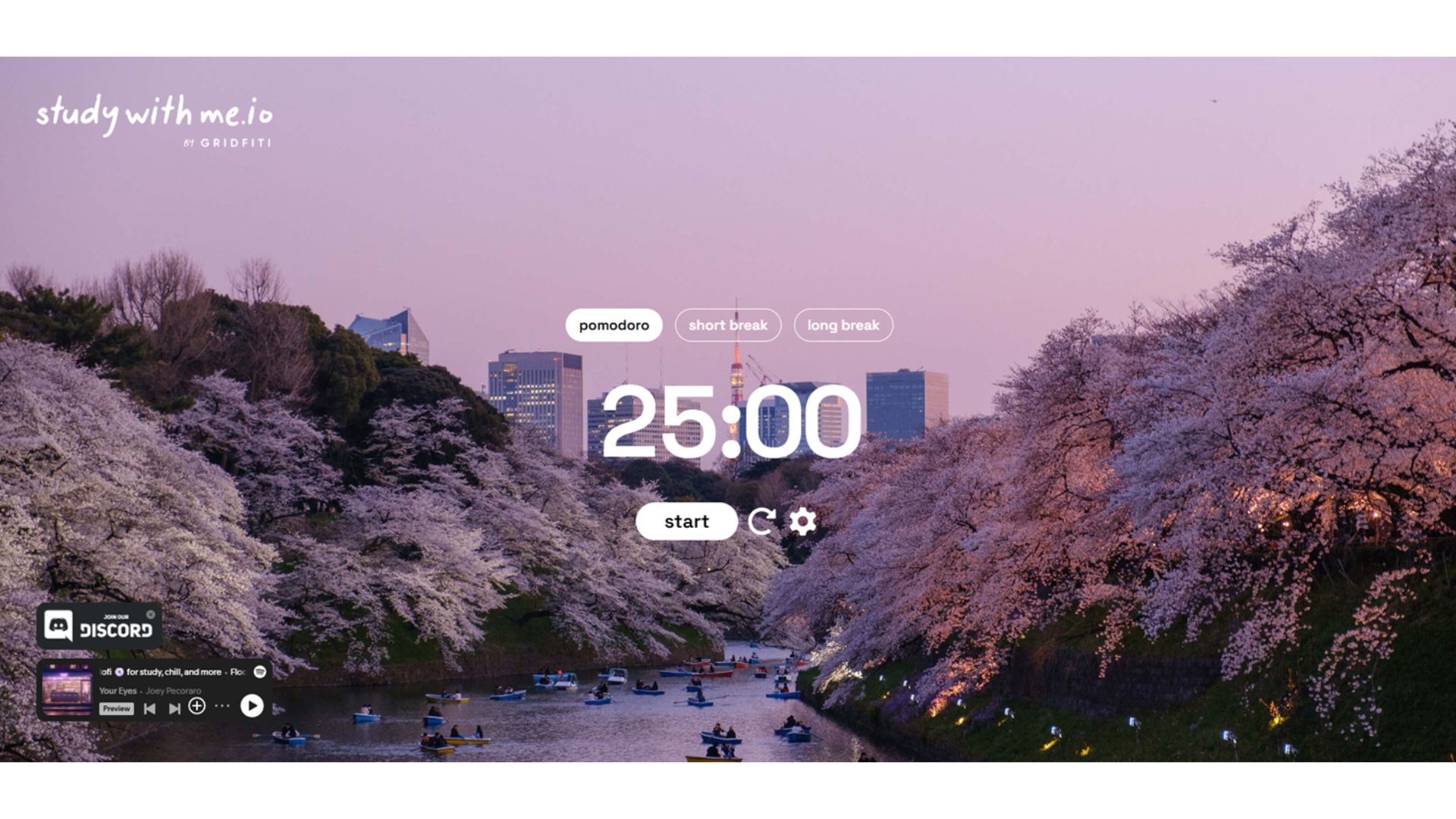
It’s basically a pretty pomodoro timer. You can set work periods, short breaks and long breaks. You can play some chill beats in the background. You can procrastinate by joining the Discord of the people who created it and its parent app Flocus.
I used it the other day (the timer, not the Discord) and found myself kinda enamoured with it.
As far as I can tell, studywithme is a basic, publicly available, no sign-up required, version of the more fully featured Flocus app.
This means you can bypass studywithme altogether and visit https://flocus.com/ and use their free browser-based productivity dashboard.
It is basically the same thing as studywithme but seems to have a few additional features: focus timer, to-do list, focus stats, themes, ambient sounds, motivational quotes, built in music (can pull playlists from playlists from Spotify, YouTube, Apple Music, SoundCloud or Amazon Music), clock and greetings.
Of course, if you try to fire up the Flocus app, it invites you to create an account so you can save your dashboard settings. I relented and set up an account. This was the base dashboard they presented me with. Complete with a somewhat questionable self-care motivational quote.

If you toggle the bottom right modes, you can go to the timer page.

I set up some rain sounds. Started the timer. And here we are! I am writing this to the calming sounds of rain.
Not surprisingly, they (Flocus) do want you to upgrade to their paid version. They’re offering a $99 lifetime access which I must admit I am tempted by. It unlocks a bunch of additional soundscapes and backgrounds and other features.
Anyway, I am getting off track.
I don’t use timers for productivity particularly often, but I do find them use useful on days where I can’t seem to settle on a task to do. Firing up a timer and just picking the next available task gets me unstuck, because I know I can reassess or change direction or tasks if needed in 25 minutes (which is the default work time in Pomodoro)
So, timers, sometimes provide my brain the necessary scaffolding to get started. Having the other features built in (e.g. soundscapes, music, quotes), can then contribute positively to the overall ritual of it. Sit down, fire up Flocus, pick a nice background noise, choose a task, contemplate a terrible quote, hit go on the timer and you’re away.
Will I keep using Flocus? Maybe. I already have reasonably good systems in place in terms of background sounds (My Noise and Brainfm) and task management (Outlook). But I do like the idea of a timer that is much prettier than the clock app in Windows.
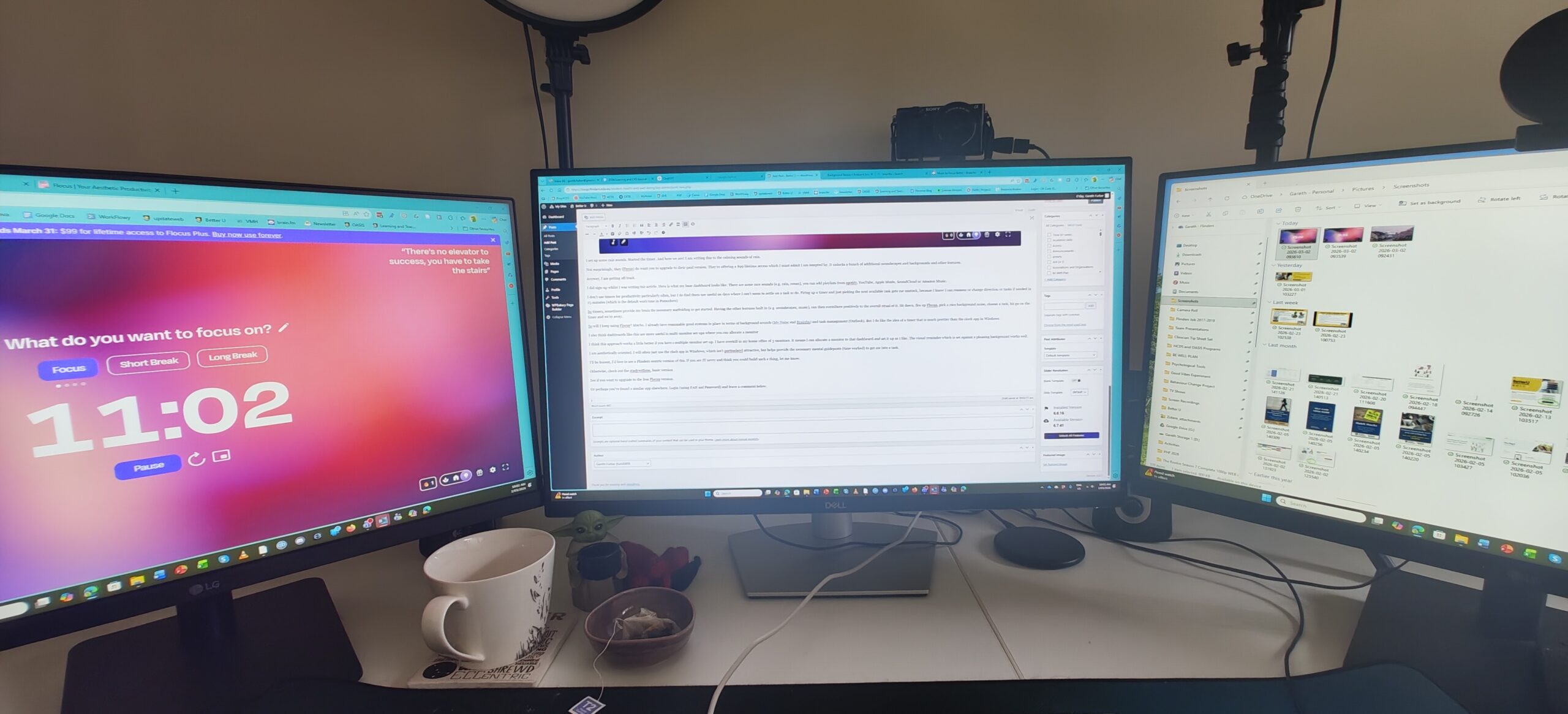
From a user-experience perspective, I do think these dashboards are more useful in multi-monitor set-ups where you can allocate a monitor to the dashboard itself (see photo). Many students work on laptops and thus is there only one visible workspace at a time. But monitors are cheap (24″ monitors can be had for $100 or less) so creating a multi-monitor set-up at your home might be within reach. At which point, these kinds of tools might make more practical sense.
I’ll be honest, I’d love to see a Flinders centric version of this. Take the basic timer concept and then built on additional functionality around body doubling, networking, time management, support services etc. If you are IT savvy and think you could build such a thing, let me know.
Otherwise, check out the studywithme, basic version. See if Pomodoro life is for you. If it is, maybe upgrade to the free Flocus version.
Oh yeah, and if you’ve found a similar app elsewhere, login below (using FAN and Password) and leave a comment.
