


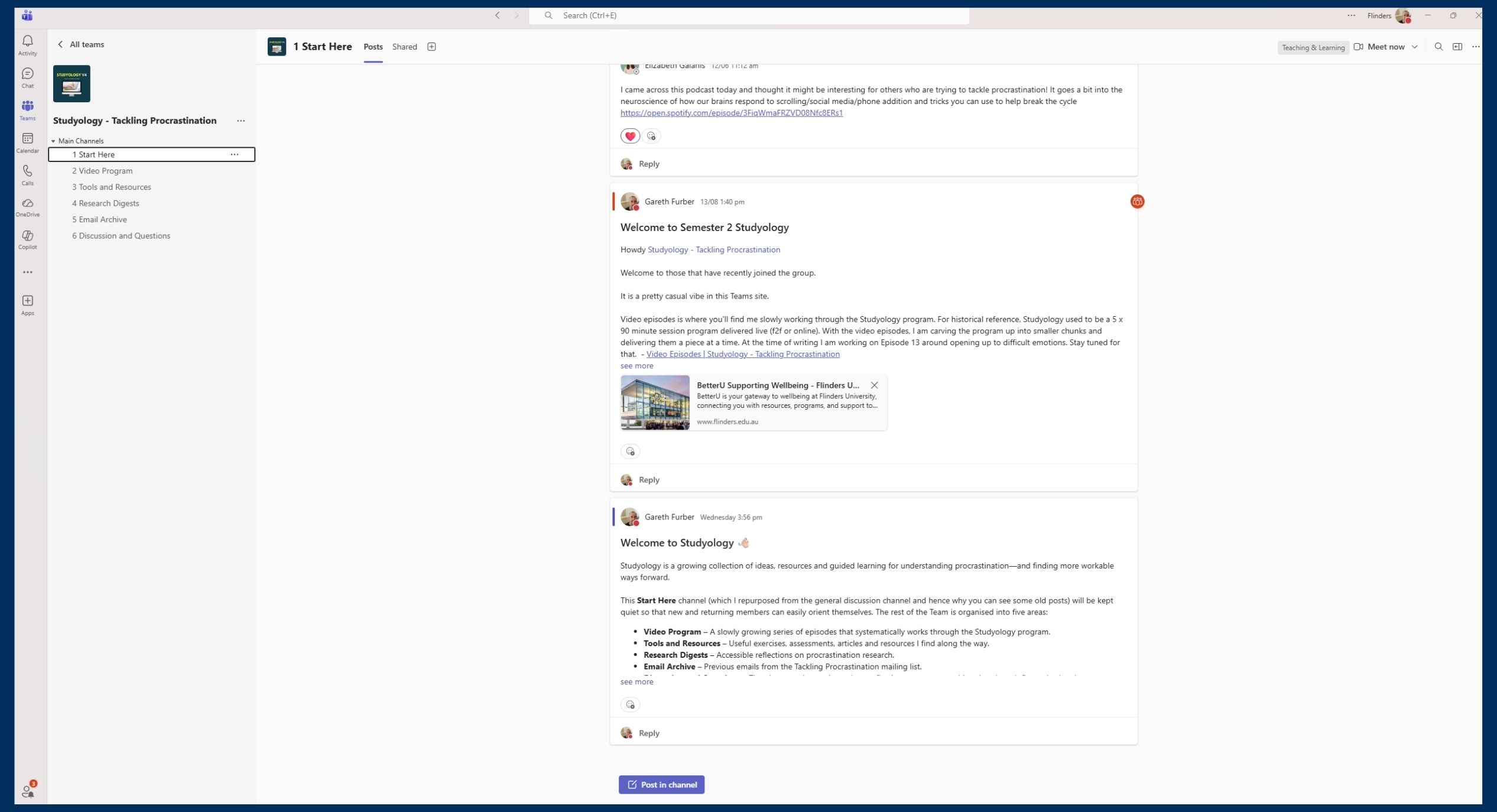
Well, it kicked off last year (2025) so I don’t think I can still keep calling it ‘new’ but regardless, Studyology is now available as a Microsoft Teams site where I make short videos, digest procrastination research and offer space to ask questions. Students and staff both welcome.
Health, Counselling and Disability Services and Oasis run a lot of wellbeing programs. But we are mindful that it isn’t always easy for students to attend them.
The modern student is balancing study, work, and personal commitments and can’t always commit to the dedicated dates/times when the programs are being run.
This has been the case for Studyology – our tackling procrastination program.
Students would register their interest in doing the program but it was always hard to find a common time that people could attend. Studyology (in its live workshop form) is 5 x 75-minute sessions and in a busy week with study and work, that isn’t necessarily easy to allocate.
So Studyology is delivered a little differently now.
What’s New(ish)?
Instead of scheduled sessions, Studyology is now a Microsoft Teams Site where I post short videos on different procrastination topics, digest procrastination research, share email content from the Procrastination Mailing List and provide a space for you to ask procrastination and productivity related questions.
The videos draw on content from the original Studyology program and include actionable, practical strategies that you can use to start tackling procrastination.
By housing this content in a Teams site, students (and staff) can join and access the videos at any time. If the only time you have to watch the videos is 2am in the morning, they’ll be there!
And being shorter videos, you won’t have to sit through longer, lecture style videos. You can consume the program one bite at a time.
I am also hoping that Teams site will, over time, help build a sense of community through discussions and comments on post. Participants will be able to ask questions, share victories or challenges, and chat about the content in the videos.
How It Works?
The Teams site is already up and running. At the time of writing there are 12 videos in the catalogue, with plenty more in planning.
All you need to do is request membership via the linked form below and then I will add you. This applies to both students and staff.
The Teams site is accessed (not surprisingly) through the Microsoft Teams app.
You access that via Okta.
- Log into your Flinders dashboard (Okta)
- Select the ‘Office 365’ button on the Okta Dashboard
- You will be redirected to Office 365 online with an Install Office link at the top of the page. Select this and then Office 365 apps.
- Office will be downloaded on your device which includes Teams.
- When you open an Office application for the first time, you will need to log in. Your email address should be entered as your FAN@flinders.edu.au and you will be redirected to an Okta login window where you can enter your FAN and password
Once you are logged into Teams, and you’ve been added to the Teams site, it should show up on your Teams tab (please ignore the stupid number of teams that I am a part of)

Benefits of the New Format (which I am calling V4)
You can’t always predict whether these alternative formats will work, but I think there are definitely some potential advantages to delivering Studyology this way:
- Easier to fit into busy schedules (watch anytime, anywhere).
- Immediate application of concepts to real-life procrastination challenges.
- Peer support through a collaborative online community.
- No pressure or requirement that you are available at a certain time or place – students progress at their own pace.
- Opportunity to join anytime and catch up easily on missed content.
How to Join
Simply complete this brief form, and I will add you to the Teams site. From there you can review what content is already available and join in the discussion 😊
Closing Remarks
I’m excited about this alternative way of sharing the Studyology program with students.
As we go, I will invite feedback and suggestions to continually improve the experience.
Look forward to working with you.
